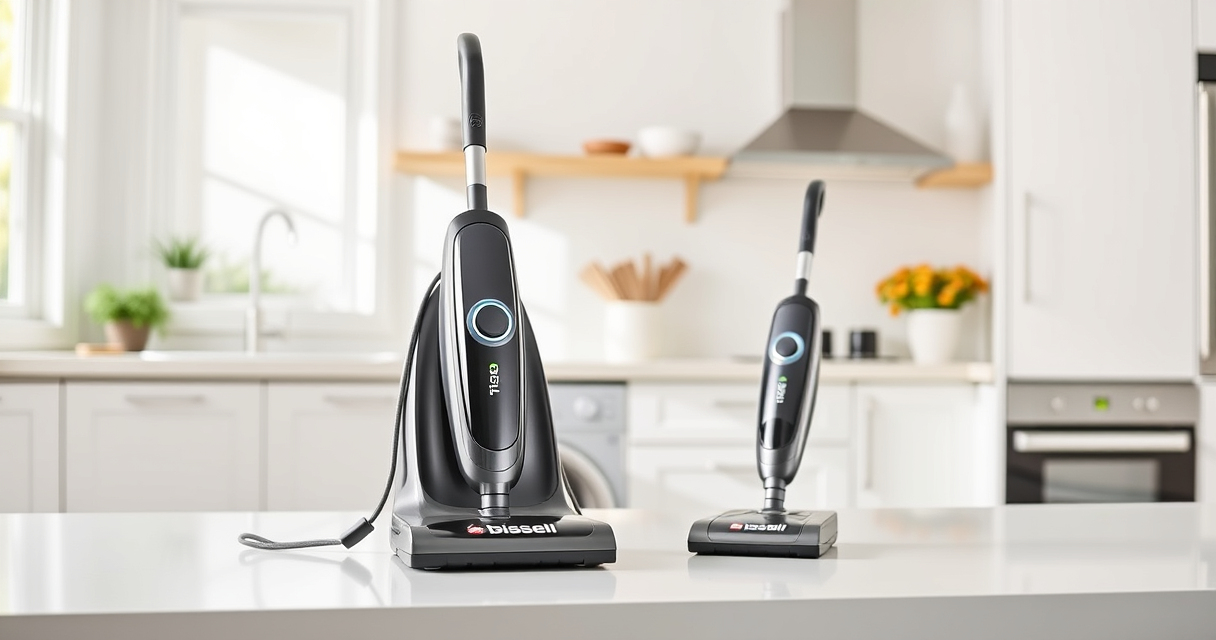

If your Bissell carpet cleaner is leaving water on your carpets instead of drying them, it can be frustrating and hinder your cleaning routine. This issue often stems from common problems like clogs, dirty filters, or worn-out parts. Fortunately, many of these issues are simple to diagnose and fix, helping you restore your machine’s performance without costly repairs.

Get pet supplies delivered free with Prime
- Fast, free delivery on millions of items
- Prime Video, Amazon Music and more included
- Member-only deals all year
In this guide, we’ll walk you through the most effective troubleshooting steps to identify and resolve why your Bissell cleaner leaves water behind. Follow these instructions carefully to ensure safe handling and successful repair.
Key Takeaways
| Check for blockages | Clogs in hoses or nozzles can cause water to stay in the machine. |
| Inspect filters | Dirty or clogged filters impair suction and water extraction. |
| Examine the water tank | Ensure the tank is properly seated and free of cracks. |
| Look at the brush roll | Worn or tangled brushes reduce cleaning efficiency. |
| Test the pump and hoses | Malfunctions here can prevent water extraction. |
Step 1: Turn Off and Unplug Your Cleaner
Before starting any troubleshooting, turn off your Bissell ProHeat 2X Revolution Pet Turbo and unplug it from the power outlet. This safety step prevents accidental activation and electrical hazards while inspecting internal components.
Make sure the machine is completely cool if it was recently used. Remove the water tank and any detachable parts according to your user manual to gain access to the hoses and filters.
Step 2: Check for Clogs and Blockages
- Remove the water and solution tanks. Inspect the intake hose, spray nozzles, and recovery hose for debris or kinks.
- Clear any blockages carefully using a long, flexible brush or pipe cleaner. Rinse hoses thoroughly with warm water to remove stubborn clogs.
- Ensure spray nozzles are not clogged by soaking them in warm water and gently cleaning with a soft brush.
Clogs restrict water flow and can cause water to stay in the system, resulting in wet carpets.
Step 3: Clean or Replace Filters
Dirty filters can severely reduce suction power. Remove the filters from your cleaner — typically found near the water tanks or behind access panels.
Wash washable filters with warm, soapy water, then let them dry completely before reinstalling. If the filters are damaged or excessively dirty, consider replacing them with a compatible set like the JORAIR Brush Replacement.
Step 4: Check the Water Tank and Seals
Ensure the water tank is properly seated and locked into place. A loose or misaligned tank can cause leaks and improper sealing, leading to water leakage or incomplete extraction.
Inspect the tank for cracks or damage. If cracks are present, replace the tank immediately to prevent further leaks.
Check the rubber seals around the tank opening and hoses for wear or debris that might prevent a proper seal. Clean or replace seals as needed.
Step 5: Inspect the Brush Roll and Drive System
Remove the brush roll to check for tangled hair, string, or debris. Clean the brush thoroughly with a soft brush and run water if necessary.
Replace the brush roll if it’s worn or damaged. A compromised brush can hinder the removal of embedded dirt and affect water extraction.
Ensure the brush drive belt and motor are functioning correctly. If the belt is loose or broken, replace it following the manufacturer’s instructions.
Tips and Warnings for Optimal Maintenance
- Always use the recommended cleaning solution, such as the BISSELL Multi-Surface Solution, to prevent clogging and ensure effective cleaning.
- Regularly check and replace filters and brushes every 6-12 months to maintain efficiency.
- Avoid overfilling water tanks, which can cause leaks and reduce suction.
- Never operate the cleaner with damaged hoses or cracked tanks to prevent water damage or electrical hazards.
Perform routine maintenance to keep your Bissell cleaner working at its best, ensuring it dries your carpets effectively every time.
The Products in This Guide

BISSELL ProHeat 2X Revolution Pet Turbo Upright Carpet C
- ✔ Power: TurboStrength Motor
- ✔ Cleaning Time: About 30 mins to dry
- ✔ Noise: Reduced noise technology

JORAIR Brush Replacement Compatible
- ✔ Package: 3 brush rolls + filters
- ✔ Compatibility: Specific Bissell CrossWave models
- ✔ Material: Synthetic fibers
BISSELL ProHeat 2X Revolution Pet Turbo Upright Carpet C
<p>The BISSELL ProHeat 2X Revolution Pet Turbo Upright Carpet Cleaner is designed for professional-grade results with features like TurboStrength™ Motor Technology and Heatwave Technology. When functioning properly, it excels at removing embedded dirt, stains, and allergens, and leaves carpets dry in about 30 minutes. However, issues like clogs, dirty filters, or leaks can cause it to leave water behind. Regular maintenance and troubleshooting ensure optimal performance.</p>
Pros:
- Powerful suction and cleaning modes
- Advanced heat and stain protection
- Pet-specific deep cleaning features
- Quiet operation with noise reduction
Cons:
- Can develop clogs if not maintained
- Requires regular filter cleaning/replacement
- Tank sealing can be tricky
Best for: Pet owners and homes with heavily soiled carpets needing deep cleaning.
Not ideal for: Light cleaning tasks or infrequent use may not justify the investment.
Bottom line: Regular maintenance and troubleshooting are essential to prevent water leaving residues with your Bissell cleaner.
JORAIR Brush Replacement Compatible
<p>The JORAIR Brush Replacement Compatible pack offers multi-surface brush rolls and filters compatible with Bissell CrossWave models, ensuring your machine maintains effective agitation and debris removal. Replacing worn brushes regularly helps prevent water from being left in the system due to poor contact or tangled debris.</p>
Pros:
- Compatible with various Bissell CrossWave models
- Includes filters and cleaning brush
- Affordable and easy to install
- Helps maintain suction and cleaning power
Cons:
- Only compatible with specified CrossWave models
- Requires manual replacement
- Filters need regular cleaning or replacement
Best for: Maintaining optimal brush and filter condition for effective cleaning.
Not ideal for: For non-CrossWave models or as a primary cleaning solution.
Bottom line: Regular replacement of brushes and filters keeps your Bissell cleaner performing optimally.
Frequently Asked Questions
Why is my Bissell cleaner leaving water on the carpet?
This can happen due to clogs, dirty filters, improper tank sealing, or worn brushes. Troubleshooting these areas helps restore proper water extraction.
How often should I clean the filters?
Clean the filters every 3-6 months, or more frequently if you notice reduced suction or water left behind. Replace them if they are damaged or excessively dirty.
Can clogged hoses cause water to stay in the machine?
Yes, blockages in hoses or nozzles prevent proper water flow and extraction, leading to residual water on your carpets.
Is it safe to use other cleaning solutions?
Only use solutions recommended by Bissell, such as the BISSELL Multi-Surface Solution, to avoid damage or clogs in your machine.
What should I do if my water tank leaks?
Check for cracks and ensure the tank is properly seated and sealed. Replace damaged tanks and seals to prevent leaks.
Achieve Perfectly Dry Carpets with Proper Maintenance
By systematically inspecting and maintaining your Bissell ProHeat 2X Revolution Pet Turbo, you can prevent and fix issues like leaving water behind. Regularly cleaning filters, checking for clogs, and replacing worn parts ensure your carpet cleaner performs at its best, giving you professional results every time. Remember, a well-maintained machine not only cleans better but also lasts longer, saving you time and money in the long run.
Affiliate disclosure: As an Amazon Associate we earn from qualifying purchases. Prices and availability are accurate as of the time of publishing.
Fall Picks
fall essentials
As an affiliate, we earn on qualifying purchases.