
TL;DR
Prebuilt AI workstations often match or beat DIY on price, support, and reliability due to component shortages and bulk buying. Building offers customization and control but demands time and expertise. Your choice depends on your priorities—speed, budget, or control.
Imagine plugging in your AI workstation and hitting start—no fuss, no headaches. For years, building your own was cheaper, and buying was about convenience. That was true—until 2026. Now, the landscape shifts. The AI boom has driven up component prices and tightened supplies, flipping the old script.
This isn’t just about saving a few bucks. It’s about understanding whether you want a machine tailored to your exact needs or a ready-to-go system that works from day one. Whether you’re a hobbyist, a researcher, or a professional, this decision shapes your workflow, budget, and even your peace of mind. Let’s unpack what really matters when choosing between building and buying in this new era.
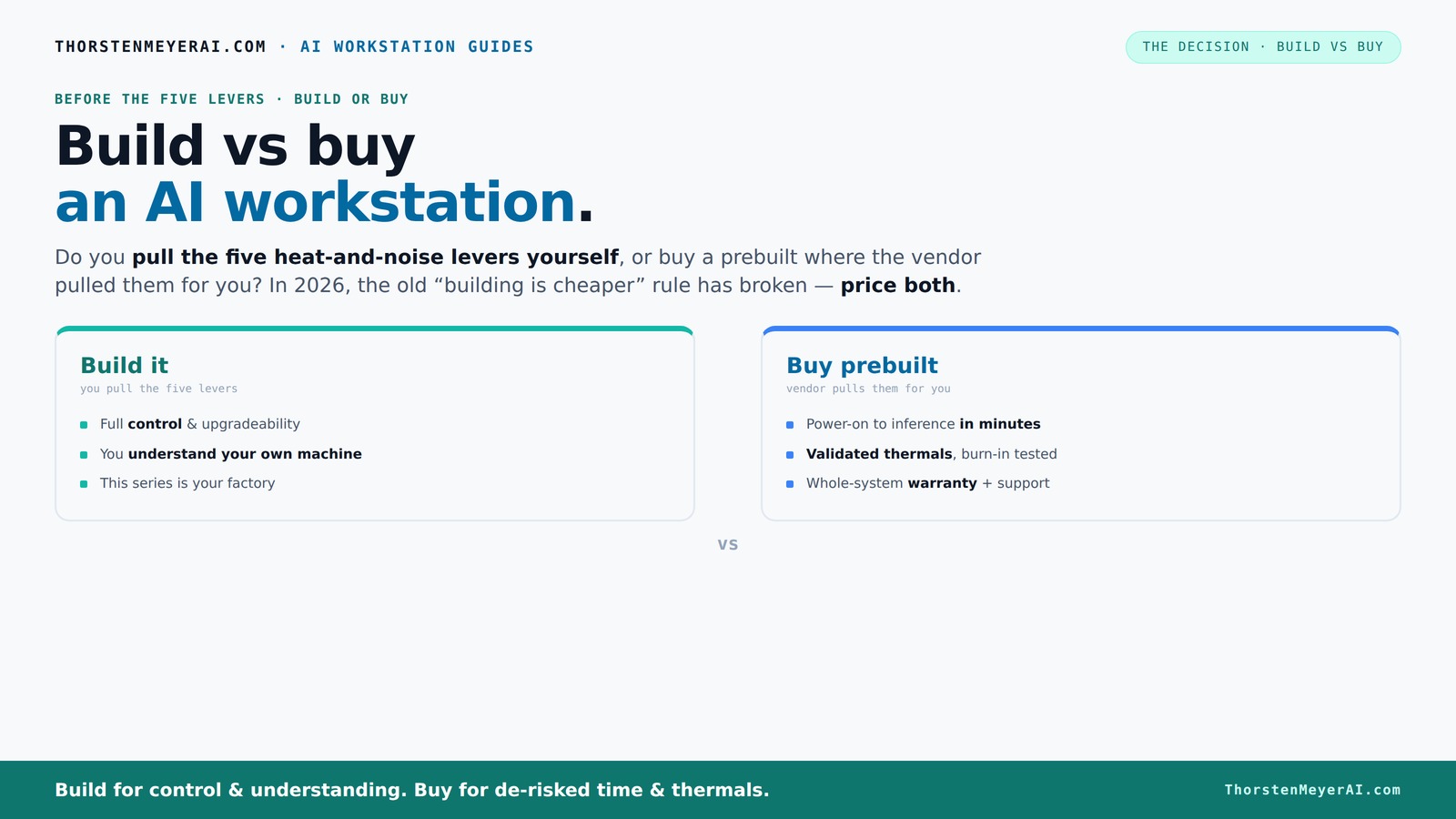
Build vs buy
an AI workstation.
The real question behind this whole series: do you pull the five heat-and-noise levers yourself, or buy a prebuilt where the vendor pulled them for you? And in 2026, the old “building is cheaper” rule has broken. Match your situation in Part 3.
Key Takeaways
- In 2026, prebuilt AI workstations often match or beat DIY in price due to component shortages and bulk buying.
- Buying a prebuilt saves time, reduces risk, and ensures validated thermals and support, especially for multi-GPU setups.
- Building offers full control over components, cooling, and future upgrades, ideal for power users and hobbyists.
- Always price both options for your exact needs before deciding—don't assume one is cheaper.
- Ask vendors specific questions about support, upgradeability, and software compatibility to avoid surprises.
As an affiliate, we earn on qualifying purchases.
Why the old rule that DIY is always cheaper no longer holds in 2026
The classic wisdom is that building your own AI workstation saves money. Not anymore. Component shortages, especially for GPUs and high-speed RAM, have pushed prices skyward. A build that once cost under $1,000 can now top $1,250 or more before adding an OS.
Meanwhile, prebuilt vendors like Lambda or BIZON bought components in bulk before prices spiked. They can offer systems at prices that are tough to beat even if you source parts yourself. The decades-old "build is cheaper" rule is broken. Now, you have to compare prices for your specific config, not just assume DIY wins.
This shift affects your entire decision-making process—cost, time, effort, and risk all come into play. It’s no longer a simple choice of save money or save time. You must weigh these factors carefully, especially as build vs buy a prebuilt AI workstation becomes more nuanced.
The five levers that make or break your AI workstation’s heat and noise
Heat and noise are your enemies when running powerful AI workloads. The core question: who pulls the levers? The vendor or you? These five levers determine how cool and quiet your system stays: For more on optimizing your setup, see build vs buy a prebuilt AI workstation.
- Undervolt the GPU
- Match the cooler to your GPU
- Optimize case airflow
- Tune the fans for quiet operation
- Place the system in a good location
Buy a prebuilt → the vendor pulls these levers, validating thermals and noise levels, often with water-cooling and extensive testing. They ship a system ready for heavy workloads, backed by warranty. For example, BIZON claims up to 30% lower noise levels and better thermal performance right out of the box.
Build it yourself → you pull these levers. You select a quiet GPU, undervolt it (see here), pick the right cooler, and tune your airflow. It offers precision but requires time, knowledge, and ongoing adjustments. Your machine becomes a custom factory.
When a prebuilt system saves your day (and your time), especially if you want to avoid the hassle of building your own AI workstation.
If your time is valuable and you want to start AI work yesterday, a prebuilt system is your best friend. It comes with the OS, drivers, and AI software stack preinstalled. Just power on, and you're ready for inference or training.
Professionals often choose prebuilts because of validated thermals and support. For instance, Lambda runs every system 24–48 hours under load before shipping, ensuring no thermal throttling occurs during your long training runs. Plus, if something breaks, your vendor is responsible, not you.
Multi-GPU setups, which are especially tricky to tune yourself, are easier with prebuilt configurations designed for high-end AI workloads. The vendor handles power delivery, cooling, and stability—saving you headaches and downtime.
When building makes sense — if you love control and customization
Building your own AI workstation shines when you want precise control. You pick every component—CPU, GPU, RAM, cooler, case—tailored to your specific workload, whether it's local inference, model training, or content creation. For more guidance, see my site about pet care.
For example, if you need a GPU with 48GB VRAM or want to experiment with different cooling setups, building your own AI workstation lets you do that. Plus, you can upgrade later, swap parts, or tweak your system for maximum efficiency.
This approach suits power users, hobbyists, or those with unique needs that off-the-shelf systems can't match. Just remember: it takes time, patience, and a willingness to troubleshoot.
Comparison: Build vs Buy — the detailed side-by-side
| Feature | Buy a Prebuilt | Build Your Own |
|---|---|---|
| Cost | Often comparable or cheaper due to bulk buying, but includes support and warranty | Potentially cheaper if you source parts yourself; risk of mistakes and troubleshooting |
| Time to Deploy | Minutes to hours — plug and play | Hours to days — assembly and tuning required |
| Support & Warranty | Vendor handles support, often with multi-year warranties | Limited; depends on your own troubleshooting skills |
| Customization | Limited to vendor options; some upgrades possible | Full control over components and future upgrades |
| Performance Tuning | Validated at factory; minimal adjustments needed | Depends on your expertise; can optimize heavily |
| Upgradability | Sometimes proprietary parts; can be restrictive | Generally easier; standard parts and open design |
| Risk & Reliability | Lower — tested and supported | Higher — depends on your skills and parts quality |
Key costs and risks to consider in 2026
Component shortages have made DIY builds more expensive and unpredictable. GPU prices have surged over 50% since 2023, and high-speed RAM and SSDs are similarly affected. Buying prebuilt can sometimes save money because of vendor bulk discounts and pre-validated setups.
However, building your own offers potential long-term savings if you plan to upgrade or customize extensively. The real tradeoff: time, expertise, and the risk of compatibility issues versus convenience and support.
For example, a research team needing rapid deployment might prefer a prebuilt for its reliability. Meanwhile, a power user with specific GPU needs may find building more cost-effective over the long run.
What to ask before buying or building your AI workstation
- Does the system support your specific AI workloads? (CUDA, TensorFlow, NPU features)
- What’s included in the warranty and support services?
- Can you upgrade or repair the system easily later?
- Are the components standard or proprietary?
- How well has the vendor validated thermals and noise?
For example, ask vendors if their system supports the latest AI software, and if they do burn-in testing to prevent thermal throttling. For DIY, verify component compatibility and cooling solutions beforehand.
Frequently Asked Questions
Is it cheaper to build or buy a prebuilt AI workstation?
It depends. Due to component shortages and bulk purchasing, prebuilts often cost as much or less than DIY now. Always compare prices for your specific configuration before deciding.
Which option offers better performance for AI workloads?
Both can deliver high performance. Prebuilts often come with validated thermals and optimized software stacks, ensuring reliability. Building allows for tailored components but requires tuning and experience.
Can I upgrade a prebuilt later?
It varies. Some prebuilts use proprietary parts, making upgrades tricky. Always ask about upgrade paths and component compatibility before purchasing.
Do AI PCs with NPUs matter for serious work?
Yes. NPUs accelerate AI tasks and reduce power consumption, especially in models optimized for such hardware. For heavy workloads, NPU support can improve efficiency and throughput.
How reliable are prebuilts for professional use?
They tend to be more reliable because of factory validation, burn-in testing, and vendor support. Many vendors offer multi-year warranties, reducing downtime risk.
Conclusion
Choosing between building or buying an AI workstation in 2026 boils down to your priorities. Want it fast, supported, and reliable? Go prebuilt. Love tinkering, customization, and control? Build your own.
Either way, the best decision aligns with your workload, budget, and comfort with troubleshooting. Remember, in this new landscape, there’s no universal winner—only what fits your needs best.