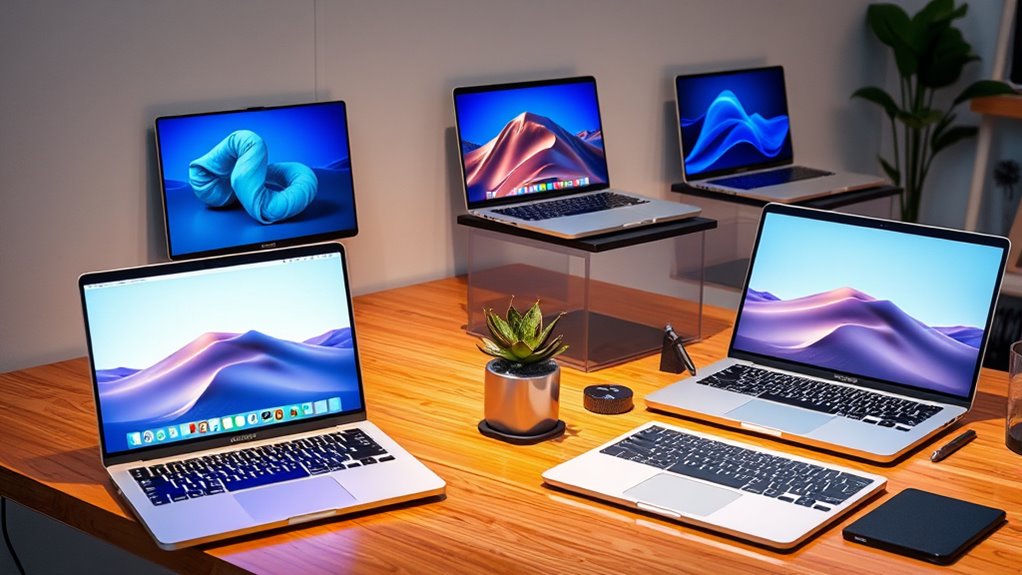

For 3D modeling and VFX, I’d choose the 16-inch MacBook Pro with M5 Pro, 48GB memory, and a 20-core GPU as the best overall balance of screen space, memory, and graphics capability. The 14-inch M5 Pro with 48GB is a more portable alternative, while the 16-inch M5 Max with 128GB is built for heavier scenes and demanding workflows. The main tradeoffs are portability versus workspace, and paying for more GPU and memory versus choosing a configuration that already fits your projects. Older and lower-memory models can suit lighter work, but may leave less room for complex scenes and multitasking. Read on for how I’d match each configuration to a different 3D and VFX workload.

Get pet supplies delivered free with Prime
- Fast, free delivery on millions of items
- Prime Video, Amazon Music and more included
- Member-only deals all year
Complete the kit



Key Takeaways
- The 16-inch M5 Pro with 48GB memory is my best overall pick: it pairs a 20-core GPU with a larger workspace without requiring the maximum M5 Max configuration.
- The 14-inch M5 Pro keeps 48GB memory in a more portable package: its 16-core GPU is a step below the 16-inch M5 Pro’s 20-core GPU, making mobility its defining advantage.
- The two 128GB M5 Max options share the same 18-core CPU and 40-core GPU: the 4TB model offers more built-in project capacity, while the 2TB model leaves more room to rely on external storage.
- The 14-inch M5 Max has a 32-core GPU but 36GB memory: it favors graphics capability and portability over the larger memory headroom of the 128GB M5 Max models.
- The 2023 M3 Pro is the older, lower-memory choice: its 18GB memory and 512GB SSD make it more suitable for learning and lighter projects than for large, layered VFX work.





| macbook pro for 3d modeling and vfx | GPU | Display | Storage | Chip |
|---|---|---|---|---|
| Apple MacBook Pro 14.2-inch wi | 16-core | 14.2-inch Liquid Retina XDR, 3456 × 2234, 120Hz | 1TB SSD | Apple M5 Pro |
| Apple MacBook Pro 16.2-inch wi | 40-core | 16.2-inch Liquid Retina XDR | 4TB SSD | Apple M5 Max |
| Apple 16.2-inch MacBook Pro wi | 20-core | 16.2-inch Liquid Retina XDR | 1TB SSD | Apple M5 Pro |
| Apple 14.2-inch MacBook Pro wi | 32-core | 14.2-inch Liquid Retina XDR | 2TB SSD | Apple M5 Max |
| Apple 2023 MacBook Pro 16.2-in | 18-core | 16.2-inch Liquid Retina XDR, 3456 × 2234 | 512GB SSD | — |
| Apple MacBook Pro 16.2-inch wi | 40-core | 16.2-inch Liquid Retina XDR | 2TB SSD | Apple M5 Max |
More Details on Our Top Picks
Apple MacBook Pro 14.2-inch with M5 Pro, 15-core CPU, 16-core GPU, 48GB memory, and 1TB SSD — Space Black
For artists who need a capable MacBook Pro without carrying a 16-inch model, this 14.2-inch configuration pairs an M5 Pro with 48GB of unified memory—useful headroom for larger scenes, texture work, and multitasking across creative apps. Its 1TB SSD gives projects room to travel, while the Liquid Retina XDR display and 120Hz refresh rate make viewport work and reviewing motion feel responsive. Compared with the 16.2-inch M5 Pro model, this is the more portable choice, but it has a smaller canvas for timelines and detailed layouts. The 16-inch M5 Max model is a better fit for GPU-heavy rendering and especially memory-intensive scenes. One caution: the listing reports conflicting display and chip details, so I would verify the exact configuration before buying.
Pros:- 48GB unified memory supports larger scenes and parallel creative workloads
- 14.2-inch form factor is more portable than the 16.2-inch models
- 120Hz Liquid Retina XDR display with 3456 × 2234 resolution
- Thunderbolt 5, HDMI, SDXC, and MagSafe 3 provide flexible connections
Cons:- 16-core GPU is less suited to heavy rendering than the M5 Max configurations
- Smaller screen gives less room for timelines and complex interface layouts
- Listing has conflicting display-size and chip specifications
Best for: 3D artists who travel often and need 48GB of memory for substantial projects in a smaller laptop.
Not ideal for: Artists prioritizing maximum GPU throughput, a large built-in workspace, or unambiguous listing specifications.
- Chip:Apple M5 Pro
- CPU:15-core
- GPU:16-core
- Display:14.2-inch Liquid Retina XDR, 3456 × 2234, 120Hz
- Unified memory:48GB
- Storage:1TB SSD
- Ports:Three Thunderbolt 5, MagSafe 3, SDXC, HDMI, headphone jack
- Camera:12MP Center Stage
Our verdict“Choose this compact M5 Pro when portability and 48GB of memory matter more than the stronger graphics and larger workspace of the M5 Max models.”
Apple MacBook Pro 16.2-inch with M5 Max, 18-core CPU, 40-core GPU, 128GB Memory, 4TB SSD, Space Black
This is the lineup’s workstation-oriented pick for artists whose scenes, simulations, and compositing jobs push both memory and graphics demands. The 40-core GPU and 128GB unified memory give it a substantial advantage over the M5 Pro models when working with complex assets or keeping demanding applications open together. A 4TB SSD also leaves more room for project files and media without constant reliance on external storage. Its 16.2-inch XDR display provides more working area than the 14.2-inch M5 Max, and the listing specifies support for up to four external displays. The tradeoff is mobility: the stated 8.2-pound weight makes it a poor choice for frequent carrying. For artists with lighter scenes, the 16-inch M5 Pro is a less extreme configuration.
Pros:- 40-core GPU is the strongest graphics configuration among the listed products
- 128GB unified memory suits large scenes and demanding concurrent workloads
- 4TB SSD provides substantial onboard project and media storage
- 16.2-inch XDR display and support for up to four external displays
Cons:- Listed weight of 8.2 pounds makes regular travel less convenient
- More GPU and memory capacity than many solo artists or smaller projects need
- Larger chassis is less suited to compact workspaces and commuting
Best for: VFX professionals and 3D artists managing large scenes, high-resolution assets, or memory-intensive multitasking who want substantial local storage.
Not ideal for: Students and mobile freelancers who carry their laptop daily or whose projects do not need 128GB memory and a 40-core GPU.
- Chip:Apple M5 Max
- CPU:18-core
- GPU:40-core
- Display:16.2-inch Liquid Retina XDR
- Unified memory:128GB
- Storage:4TB SSD
- Peak display brightness:1600 nits
- Wireless:Wi-Fi 7, Bluetooth 6
- Ports:Three Thunderbolt 5, MagSafe 3, SDXC, HDMI, headphone jack
Our verdict“Pick this M5 Max configuration for demanding 3D and VFX workloads that can use its GPU, memory, and storage, and skip it if portability is a priority.”
Apple 16.2-inch MacBook Pro with M5 Pro, 18-core CPU, 20-core GPU, 48GB Memory, and 1TB SSD
This model suits artists who want a roomy workspace and strong everyday creative performance without stepping up to the M5 Max configurations. Its 16.2-inch Liquid Retina XDR display gives timelines, node graphs, and reference material more space than the 14.2-inch M5 Pro, while the 20-core GPU and 48GB of memory provide capacity for demanding creative work. Compared with the 40-core GPU M5 Max model, it is the more restrained choice for rendering and GPU-heavy tasks, but its listed 4.71-pound weight is far below that product’s 8.2 pounds. Storage is limited to 1TB, so large footage libraries may call for external drives. The listing provides no battery runtime figure, making endurance harder to judge than on the older M3 Pro model, which specifies up to 22 hours.
Pros:- 16.2-inch XDR display offers more workspace than the 14.2-inch options
- 48GB unified memory supports complex scenes and creative multitasking
- 20-core GPU provides more graphics capacity than the 16-core M5 Pro model
- Thunderbolt 5, HDMI, and SDXC support flexible studio connections
Cons:- 20-core GPU trails the 32-core and 40-core M5 Max configurations for GPU-heavy work
- 1TB SSD may be restrictive for large footage and asset libraries
- Product information does not specify battery runtime
Best for: Motion designers and 3D artists who want a large built-in workspace, 48GB memory, and a less graphics-intensive configuration than an M5 Max.
Not ideal for: Artists who need the highest available GPU capacity, more than 1TB of internal storage, or clearly stated battery-runtime information.
- Chip:Apple M5 Pro
- CPU:18-core
- GPU:20-core
- Display:16.2-inch Liquid Retina XDR
- Unified memory:48GB
- Storage:1TB SSD
- Weight:4.71 pounds
- Wireless:Wi-Fi 7, Bluetooth 6
- Ports:Three Thunderbolt 5, MagSafe 3, SDXC, HDMI, headphone jack
Our verdict“Choose this 16-inch M5 Pro if you want a broad workspace and 48GB memory without paying the portability and capability tradeoffs of the M5 Max models.”
Apple 14.2-inch MacBook Pro with M5 Max, 18-core CPU, 32-core GPU, 36GB Memory, and 2TB SSD
For artists who need more graphics capability in a smaller laptop, this 14.2-inch model brings an M5 Max with a 32-core GPU and a 2TB SSD. That combination gives it a clear rendering advantage over the 14.2-inch M5 Pro, while its 3.59-pound listed weight makes it far easier to carry than the 16.2-inch, 40-core GPU M5 Max. The compromise is memory: 36GB is notably less than the 48GB in either M5 Pro option and far below the 128GB in the larger M5 Max. That can limit headroom for especially large scenes or heavy multitasking. I see this as a portability-first graphics pick, not the best fit for artists who routinely load extensive assets into memory.
Pros:- 32-core M5 Max GPU offers more graphics capacity than the M5 Pro options
- 2TB SSD gives more room for project assets than the 1TB models
- 14.2-inch chassis is more portable than either 16.2-inch model
- Thunderbolt 5, HDMI, SDXC, and Wi-Fi 7 support studio and mobile workflows
Cons:- 36GB memory is lower than the 48GB M5 Pro configurations
- Smaller display provides less room for timelines and multi-panel workflows
- 32-core GPU does not match the 40-core GPU M5 Max option
Best for: Freelance 3D artists who travel between work sites and want M5 Max graphics with more onboard storage in a compact chassis.
Not ideal for: Artists working with very large scenes or memory-heavy simulations who would benefit from 48GB or 128GB unified memory.
- Chip:Apple M5 Max
- CPU:18-core
- GPU:32-core
- Display:14.2-inch Liquid Retina XDR
- Unified memory:36GB
- Storage:2TB SSD
- Weight:3.59 pounds
- Wireless:Wi-Fi 7, Bluetooth 6
- Ports:Three Thunderbolt 5, MagSafe 3, SDXC, HDMI, headphone jack
Our verdict“Choose this model when a compact chassis and M5 Max graphics take priority over the higher memory and larger screen of the 16-inch alternatives.”
Apple 2023 MacBook Pro 16.2-inch (M3 Pro, 12-Core CPU, 18-Core GPU, 18GB RAM, 512GB SSD, Space Black)
The 2023 M3 Pro is the entry point here for buyers whose 3D work is developing rather than dominated by huge scenes and intensive renders. Its 16.2-inch Liquid Retina XDR display offers a generous workspace, and the 12-core CPU with 18-core GPU is specified for demanding creative workloads. Compared with the newer M5 Pro models, it has less memory at 18GB and only a 512GB SSD, so growing projects may require more frequent file management and external storage. It is also far behind the M5 Max options for GPU-heavy VFX work. The listing states up to 22 hours of battery life, but gives a notably heavy 8.3-pound weight. I would favor it for learning, editing, and modest scene work—not as a long-term machine for large production assets.
Pros:- 16.2-inch Liquid Retina XDR display provides a broad workspace
- 12-core CPU and 18-core GPU are specified for creative workloads
- Listed battery life is up to 22 hours
- Six-speaker audio system with Spatial Audio
Cons:- 18GB unified memory gives less scene and multitasking headroom than every M5 option here
- 512GB SSD is limited for large project files and media libraries
- Listed weight of 8.3 pounds makes it cumbersome for frequent travel
Best for: Design students and early-career creators learning 3D modeling or handling modest projects who want a large XDR screen and stated long battery life.
Not ideal for: VFX professionals with large scenes, extensive asset libraries, or GPU-intensive rendering needs; 18GB memory and 512GB storage constrain growth.
- Processor:Apple M3 Pro, 12-core CPU
- GPU:18-core
- Memory:18GB unified memory
- Storage:512GB SSD
- Display:16.2-inch Liquid Retina XDR, 3456 × 2234
- Operating system:macOS Sonoma
- Battery life:Up to 22 hours
- Connectivity:Wi-Fi 6, Thunderbolt, HDMI
- Weight:8.3 pounds
Our verdict“Pick the M3 Pro for learning and lighter creative workloads with a large screen, but choose a newer M5 model for serious scene complexity or sustained VFX work.”
Apple MacBook Pro 16.2-inch with M5 Max, 18-core CPU, 40-core GPU, 128GB Memory, 2TB SSD, Space Black
This configuration suits artists whose biggest constraint is keeping demanding scenes, simulations, and creative applications in memory. Its 128GB unified memory gives it more headroom than the 48GB M5 Pro MacBook Pro models in this roundup, while the 40-core M5 Max GPU targets heavier GPU workloads than those Pro configurations. The 2TB SSD offers substantial working space, though the M5 Max model with 4TB is a better match for artists who keep large project libraries on the laptop. The 16.2-inch Liquid Retina XDR display provides a large, high-contrast workspace, and Thunderbolt 5, HDMI, and SDXC make connecting displays and media more convenient. The tradeoff is portability: at a listed 9.1 pounds, this is a difficult choice for frequent commuting, and it is more machine than lighter projects need.
Pros:- 128GB unified memory offers substantial headroom for large scenes and demanding multitasking.
- 40-core GPU is aimed at heavier graphics workloads than the M5 Pro options in this roundup.
- 16.2-inch Liquid Retina XDR display gives artists a spacious, high-contrast work area.
- Thunderbolt 5, HDMI, and SDXC support flexible connections to displays and media.
Cons:- The listed 9.1-pound weight makes it burdensome for regular travel.
- 2TB storage may fall short for artists keeping large libraries and active project files locally, compared with the 4TB M5 Max model.
- Its high-end memory and GPU configuration may be unnecessary for lighter 3D and editing workloads.
Best for: 3D artists and VFX professionals who run memory-intensive scenes or multiple demanding creative applications and want a large built-in display.
Not ideal for: Frequent travelers, students carrying a laptop between classes, or creators with modest projects who would be better served by a lighter M5 Pro configuration.
- Chip:Apple M5 Max
- CPU:18-core
- GPU:40-core
- Display:16.2-inch Liquid Retina XDR
- Memory:128GB unified memory
- Storage:2TB SSD
- Ports:Three Thunderbolt 5, MagSafe 3, SDXC, HDMI, headphone jack
- Wireless:Wi-Fi 7, Bluetooth 6
- Weight:9.1 pounds
Our verdict“Choose this M5 Max when large, memory-hungry 3D or VFX projects matter more than portability or the extra local storage of the 4TB model.”

How We Picked
I ranked these MacBook Pros around the demands that shape 3D and VFX work: GPU capability, memory capacity, and practical storage. A stronger GPU can help with supported accelerated tasks, while memory headroom matters when scenes, textures, simulations, and other applications compete for resources. I also weighed screen size and portability, since the 14-inch models are easier to carry but offer less workspace than the 16-inch options.
The ranking favors configurations that balance those needs for a broad range of creators rather than simply giving the highest-spec model first place. That puts the 16-inch M5 Pro with 48GB ahead as a balanced workstation, while the 128GB M5 Max models lead for memory-heavy work. I placed the M3 Pro lower because its listed memory and storage give buyers less room for demanding current projects, though it remains a possible entry point for lighter work. These products have different roles, so the right choice depends on project scale, mobility, and how much local storage you need.
| macbook pro for 3d modeling and vfx | Chip |
|---|---|
| Apple MacBook Pro 14.2-inch wi | Apple M5 Pro |
| Apple MacBook Pro 16.2-inch wi | Apple M5 Max |
| Apple 16.2-inch MacBook Pro wi | Apple M5 Pro |
| Apple 14.2-inch MacBook Pro wi | Apple M5 Max |
| Apple 2023 MacBook Pro 16.2-in | — |
| Apple MacBook Pro 16.2-inch wi | Apple M5 Max |
Factors to Consider When Choosing Macbook Pro For 3d Modeling And Vfx
Before choosing a MacBook Pro for 3D modeling and VFX, I’d match the configuration to the workload rather than chasing the biggest specification. Scene size, application support, storage habits, and portability can matter as much as the chip tier. These factors help clarify where an upgrade changes your day-to-day work and where it may be unnecessary.
Match Memory to Scene Size and Multitasking
Memory is shared across the work you keep active, including 3D scenes, textures, compositing projects, and other open applications. A modest project can feel very different from a scene with high-resolution assets, large simulations, or several tools open at once. The 48GB configurations in this roundup offer more headroom than the M3 Pro’s 18GB, while the 128GB M5 Max models target unusually memory-heavy work. Don’t assume every creator needs the largest memory option; the right amount depends on the projects you actually handle. If your current computer frequently runs out of memory, treat that as a stronger upgrade signal than a vague plan to work on bigger projects someday. Because memory is not a simple later add-on on these configurations, choose with your likely workload in mind.
Check Whether Your Software Uses the GPU You’re Buying
A higher GPU core count only helps when your software and specific tasks can use that graphics capacity. 3D viewport work, rendering, simulation, and effects processing may rely on different parts of a pipeline, so a GPU-heavy configuration is not automatically faster for every step. Check the current requirements and supported rendering or acceleration features for the applications and plugins you depend on. The M5 Max options offer more GPU cores than the M5 Pro models listed here, but that premium may bring little benefit if your workflow is mostly CPU-bound or handled by other hardware. Also check compatibility before building a workflow around a particular renderer or plugin. Choose based on the tasks you run most often, not GPU figures alone.
Pick Screen Size Around Your Work Habits
The 16-inch models provide more room for timelines, node editors, reference panels, and a 3D viewport on the built-in display. That extra workspace can reduce how often you rearrange panels, particularly when working away from a desk. The 14-inch models are easier to carry and can pair well with an external monitor at a permanent workstation. A common mistake is to buy the larger screen for mobile work and then find its size and weight inconvenient to carry regularly. Another is to choose the smaller model without accounting for how much you depend on multiple visible panels. Decide where most work happens, then weigh workspace against portability.
Plan Storage for Active Projects and Media
Project files, textures, cache data, rendered frames, and footage can fill an internal drive faster than application installs alone suggest. The 4TB M5 Max configuration offers more built-in capacity than its 2TB counterpart, while the 1TB and 512GB options make external storage more central to the workflow. External drives can expand capacity, but they add equipment to carry and another part of a project setup to manage. Keep a separate backup plan in mind: a larger internal drive does not replace a second copy of important work. Estimate the size of active projects and cached media, not just finished exports. If you routinely move between locations, weigh the convenience of internal space against the flexibility of external storage.
Spend on the Bottleneck, Not the Highest Tier
Moving from M5 Pro to M5 Max makes the most sense when your work can use the additional GPU capacity or when you need the listed high-memory configurations. A larger chip tier may not fix slow storage, limited memory, or software tasks that do not benefit from more GPU resources. Identify the step that slows you down: scene interaction, rendering, simulation, compositing, or file handling. Then prioritize the specification tied to that bottleneck rather than selecting the most expensive configuration by default. The 48GB M5 Pro models illustrate a middle ground for creators who need meaningful memory capacity but do not need the 40-core GPU and 128GB memory offered by the top M5 Max models. Leave room in your setup for external storage, a calibrated display, or other workflow needs if those will matter more.
Treat the Older M3 Pro as a Lighter-Work Option
The 2023 M3 Pro remains the only older-generation model in this lineup, and its listed 18GB memory and 512GB SSD set it apart from the newer configurations. That can suit learning, modeling practice, and less demanding projects, especially if you already have external storage and do not need extensive multitasking. For paid work with large assets or sustained VFX workloads, its lower memory ceiling leaves less room for growth than the 48GB and 128GB options. Don’t choose it solely because its chip tier sounds adequate; compare the full configuration and the software you plan to run. Also account for how long you expect to keep the machine and whether your workload is likely to grow. It is a more sensible fit for a defined lighter workload than for an open-ended workstation purchase.
Frequently Asked Questions
Is 48GB of memory enough for 3D modeling and VFX?
For many individual creators, 48GB is a more flexible starting point than the 18GB configuration in the M3 Pro, particularly when scenes and several creative applications are open together. It may still feel limiting with very large simulations, high-resolution textures, or complex compositing jobs. I’d use your current project sizes and memory use as the guide rather than a broad claim that one capacity suits everyone. The 128GB M5 Max models are aimed at workflows where memory headroom is a clear need. If your work is mainly modeling and lighter effects, the 48GB M5 Pro options may be a better balance.
Should I choose the M5 Max or the M5 Pro for rendering?
That depends on whether your renderer and the parts of your workflow you use can benefit from the M5 Max’s higher GPU capacity. The listed M5 Max models have 32 or 40 GPU cores, compared with 16 or 20 in the M5 Pro options, but core counts alone do not predict every application’s performance. Check the renderer’s current support and compare the kind of rendering you do, including whether it is GPU-accelerated or relies more on other resources. If GPU rendering is central and supported, an M5 Max may be a better fit. If rendering is occasional or your work is less GPU-dependent, the M5 Pro configurations may leave more of the machine’s capacity unused.
Is the 14-inch MacBook Pro too small for professional 3D work?
No, but its smaller built-in display changes how comfortably you can arrange a viewport, timeline, and editing panels at once. The 14-inch M5 Pro is a strong portable option in this lineup because it pairs its size with 48GB memory. The 14-inch M5 Max trades that larger memory capacity for a 32-core GPU and 36GB memory. Either can work well if portability matters or you often connect an external monitor at your desk. If you do most work on the laptop screen, the 16-inch models offer more space for complex interfaces.
Should I choose the 4TB or 2TB M5 Max configuration?
The two listed 16-inch M5 Max configurations have the same 18-core CPU, 40-core GPU, and 128GB memory, so the choice is mainly about built-in capacity. The 4TB version suits creators who want more project files and media available on the laptop without relying as heavily on external drives. The 2TB version can make sense if your projects are organized on external storage or you keep only active work locally. Remember that VFX caches and footage can take up substantial space beyond final project files. Whichever you choose, keep separate backups; internal capacity is not a backup strategy.
Does the 2023 M3 Pro make sense as a first MacBook Pro for 3D?
It can make sense for learning, modeling practice, and lighter projects if its 18GB memory and 512GB SSD fit your software and storage habits. It is the least future-ready configuration in this roundup for heavier VFX workloads, especially when compared with the newer 48GB M5 Pro models. A beginner does not always need the most powerful machine, but choosing a configuration that leaves room for larger scenes can reduce early limits. Consider whether you will use external storage and whether you expect to move into simulation, complex compositing, or larger asset work soon. If those are likely, a 48GB M5 Pro may be a more durable starting point.
Conclusion
Best overall: I’d pick the 16-inch M5 Pro with 48GB memory and a 20-core GPU for a balanced mix of screen space and capacity. Best value for a portable workflow: the 14-inch M5 Pro with 48GB keeps strong memory capacity while being easier to carry. Best premium: the 16-inch M5 Max with 128GB and 40-core GPU is the fit for demanding, memory-heavy work; choose the 4TB version for more internal project space or the 2TB model if external storage is part of your setup. Best for beginners: the 2023 M3 Pro can suit lighter learning projects, while the 48GB M5 Pro is the better choice if you expect your work to grow. Best for a compact GPU-focused setup: the 14-inch M5 Max brings a 32-core GPU in the smaller format, though its 36GB memory is below the 128GB options. I’d choose based on the constraint you face most often: memory, GPU workload, screen space, or carrying the laptop.