For a 2TB portable SSD with hardware encryption, I put the DataLocker DL4 FE first for its security-focused design and managed-drive approach; the Apricorn Aegis Fortress L3 stands out for buyers who need a FIPS Level 3 validated device, while the Samsung T7 Shield suits people who want a rugged everyday SSD and should verify its encryption features meet their needs. The main tradeoff is between dedicated access controls and certification on one side, and speed, ruggedness, and simple everyday use on the other. Product names and similar-looking security claims do not mean every drive offers the same kind of hardware encryption. I compare what each option is built to do, along with its practical limits. Continue reading for the full breakdown and guidance on choosing the right 2TB drive.

Get pet supplies delivered free with Prime
- Fast, free delivery on millions of items
- Prime Video, Amazon Music and more included
- Member-only deals all year
Complete the kit


Key Takeaways
- Security credentials matter more than a security-sounding name: the Apricorn Aegis Fortress L3 explicitly identifies FIPS Level 3 validation, while the DataLocker DL450 is listed as FIPS 140-3 Level 3 pending, not validated.
- The lineup splits into two different jobs: DataLocker and Apricorn prioritize controlled access and security requirements, while Samsung, SanDisk, Crucial, and WD focus more on portable storage performance and everyday durability.
- Fast headline speeds need a matching connection: models advertising up to 2,000 MB/s, such as the Samsung T9 and SanDisk Extreme Portable SSD, need compatible host ports and workloads to make that speed useful.
- Ruggedness and encryption solve different problems: a durable shell can help protect hardware from physical mishaps, but it does not replace encryption or a secure unlock method.
- Biometric and touchscreen access can simplify unlocking, but they add a different set of tradeoffs: buyers should check recovery options, supported computers, and whether the listed security claims are independently certified.
| DataLocker DL4 FE 2TB Encrypted SSD |  | Best for Government and Enterprise Security | Capacity: 2TB | Encryption: AES 256-bit XTS mode | Certification: FIPS 140-3 validated; TAA compliant | VIEW ON AMAZON | See Our Full Breakdown |
| SanDisk 2TB Extreme PRO Portable SSD |  | Best for Speed and Rugged Everyday Carry | Capacity: 2TB | Interface: USB-C 3.2 Gen 2 | Read speed: Up to 2,000 MB/s | VIEW ON AMAZON | See Our Full Breakdown |
| Apricorn 2TB Aegis Fortress L3 – FIPS Level 3 Validated USB 3.0 Hardware Encrypted Portable Drive (AFL3-2TB), Black |  | Best for Keypad-Based Access Controls | Capacity: 2TB | Interface: USB 3.0 | Encryption: AES-XTS 256-bit hardware encryption | VIEW ON AMAZON | See Our Full Breakdown |
| Crucial X10 2TB Portable SSD |  | Best for Buyers Who Prioritize Simple USB-C Storage | Storage capacity: 2TB | Interface: USB 3.2 Gen 2×2 Type-C | Drive type: Portable solid-state drive | VIEW ON AMAZON | See Our Full Breakdown |
| Samsung T7 Shield Portable SSD 2TB, USB 3.2 Gen 2, Up to 1,050 MB/s |  | Best for Rugged, Broadly Compatible Everyday Use | Capacity: 2TB | Interface: USB 3.2 Gen 2; backward compatible with USB 2.0/3.0 | Read speed: Up to 1,050 MB/s | VIEW ON AMAZON | See Our Full Breakdown |
| Western Digital My Passport 2TB Portable SSD |  | Best Balanced Pick | Capacity: 2 TB | Drive type: Portable solid-state drive | Maximum read speed: Up to 1,050 MB/s | VIEW ON AMAZON | See Our Full Breakdown |
| SanDisk Extreme Portable SSD, 2TB, Up to 2000MB/s |  | Best for Rugged, Fast Transfers | Capacity: 2 TB | Maximum read speed: Up to 2,000 MB/s | Interface: USB 3.0 | VIEW ON AMAZON | See Our Full Breakdown |
| Samsung T9 Portable SSD 2TB, USB 3.2 Gen 2×2, Up to 2,000 MB/s | 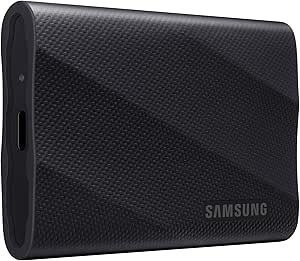 | Best for High-Speed Workflows | Capacity: 2 TB | Interface: USB 3.2 Gen 2×2 | Maximum read speed: Up to 2,000 MB/s | VIEW ON AMAZON | See Our Full Breakdown |
| 2TB Touchscreen Encrypted External SSD with Smart Display |  | Best for On-Drive Monitoring | Capacity: 2 TB | Interface: USB 3.2 Gen 2×2 (20 Gbps) | Maximum read speed: Up to 2,000 MB/s | VIEW ON AMAZON | See Our Full Breakdown |
| iStorage diskAshur2 2TB Secure Portable SSD |  | Best for Software-Free PIN Security | Capacity: 2 TB | Encryption: AES-XTS 256-bit hardware encryption | Authentication: 7–15 digit PIN | VIEW ON AMAZON | See Our Full Breakdown |
| NEWQ 2TB Touch Portable SSD with Fingerprint Encryption USB-C |  | Best for Phone-Centered Everyday Security | Capacity: 2 TB | Interface: USB 2.0/3.0 | Connector: USB-C | VIEW ON AMAZON | See Our Full Breakdown |
| DataLocker DL450 2TB Portable Rugged SSD – External – TAA Compliant – FIPS 140-3 Level 3 (Pending) |  | Best for Rugged Enterprise and Government Deployments | Capacity: 2 TB | Encryption: AES-256 XTS hardware encryption with onboard key generation | Certification status: FIPS 140-3 Level 3 pending | VIEW ON AMAZON | See Our Full Breakdown |
| SanDisk Professional 2TB G-DRIVE ArmorLock SSD – Encrypted NVMe Solid State Drive, USB-C, High-Level Security, Ultra Rugged |  | Best for Fast Biometric Access in the Field | Capacity: 2 TB | Drive type: NVMe SSD | Connector: USB-C | VIEW ON AMAZON | See Our Full Breakdown |
| Apricorn 2TB Aegis NVX NVMe Portable SSD |  | Best for Software-Free Hardware Security | Capacity: 2 TB | Interface: USB 3.2 Gen 2 (10 Gbps) Type-C | Encryption: 256-bit AES XTS hardware encryption | VIEW ON AMAZON | See Our Full Breakdown |
| Samsung T7 Portable SSD, 2TB, Titan Gray, USB 3.2 Gen 2 | 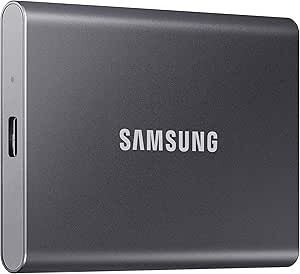 | Best Mainstream Balance of Speed and Hardware Encryption | Capacity: 2 TB | USB standard: USB 3.2 Gen 2 | Encryption: 256-bit AES hardware encryption | VIEW ON AMAZON | See Our Full Breakdown |
| 2tb portable ssds with hardware encryption | Capacity | Encryption | Interface |
|---|---|---|---|
| DataLocker DL4 FE 2TB Encrypte | 2TB | AES 256-bit XTS mode | USB-C / USB-A |
| SanDisk 2TB Extreme PRO Portab | 2TB | — | USB-C 3.2 Gen 2 |
| Apricorn 2TB Aegis Fortress L3 | 2TB | AES-XTS 256-bit hardware encryption | USB 3.0 |
| Crucial X10 2TB Portable SSD | — | — | USB 3.2 Gen 2×2 Type-C |
| Samsung T7 Shield Portable SSD | 2TB | — | USB 3.2 Gen 2; backward compatible with USB 2.0/3.0 |
| Western Digital My Passport 2T | 2 TB | Password-enabled 256-bit AES hardware encryption | — |
| SanDisk Extreme Portable SSD | 2 TB | 256-bit AES password protection | USB 3.0 |
| Samsung T9 Portable SSD 2TB | 2 TB | Hardware encryption | USB 3.2 Gen 2×2 |
| 2TB Touchscreen Encrypted Exte | 2 TB | Hardware encryption with password protection | USB 3.2 Gen 2×2 (20 Gbps) |
| iStorage diskAshur2 2TB Secure | 2 TB | AES-XTS 256-bit hardware encryption | USB 3.2 |
| NEWQ 2TB Touch Portable SSD wi | 2 TB | Hardware fingerprint and password encryption | USB 2.0/3.0 |
| DataLocker DL450 2TB Portable | 2 TB | AES-256 XTS hardware encryption with onboard key generation | — |
| SanDisk Professional 2TB G-DRI | 2 TB | — | — |
| Apricorn 2TB Aegis NVX NVMe Po | 2 TB | 256-bit AES XTS hardware encryption | USB 3.2 Gen 2 (10 Gbps) Type-C |
| Samsung T7 Portable SSD | 2 TB | 256-bit AES hardware encryption | — |
More Details on Our Top Picks
DataLocker DL4 FE 2TB Encrypted SSD
The DataLocker DL4 FE is the most procurement-focused pick here: it pairs FIPS 140-3 validation with AES 256-bit XTS encryption, TAA compliance, and a touchscreen for password setup and management. Its OS-independent operation and USB-C/USB-A connectivity make it easier to use across Windows, Mac, and Linux environments than a drive that relies on a specific management app. Compared with the Apricorn Aegis Fortress L3, the DL4 FE carries the newer stated FIPS validation and touchscreen controls, while the Apricorn emphasizes keypad security and brute-force defenses. The tradeoff is that SafeConsole management requires a separately sold license, and its IP64 protection is less suited to wet or dusty field conditions than the IP65-rated Samsung and SanDisk options. I’d choose it for controlled workplaces, not rough outdoor handling.
Pros:- FIPS 140-3 validated AES 256-bit XTS hardware encryption
- TAA compliance supports applicable government procurement needs
- Touchscreen simplifies password setup without relying on host software
- USB-C and USB-A support Windows, Mac, and Linux use
Cons:- SafeConsole management license is sold separately
- IP64 rating offers less water protection than the IP65 Samsung T7 Shield and SanDisk Extreme PRO
Best for: Government and enterprise teams needing TAA compliance, FIPS 140-3 validation, and cross-platform encrypted storage.
Not ideal for: Buyers who need strong water exposure protection or centralized SafeConsole management without an added license.
- Capacity:2TB
- Encryption:AES 256-bit XTS mode
- Certification:FIPS 140-3 validated; TAA compliant
- Durability:IP64 dust and water resistance
- Interface:USB-C / USB-A
- Compatibility:Windows, Mac, Linux
- Management:SafeConsole compatible; license sold separately
Our verdict“Choose the DL4 FE when validated enterprise security and touchscreen control matter more than maximum ruggedness or included fleet-management software.”
SanDisk 2TB Extreme PRO Portable SSD
The SanDisk Extreme PRO Portable SSD is the speed-first option in this group, with claimed read and write rates up to 2,000 MB/s and 256-bit AES hardware encryption. Its aluminum chassis, IP65 rating, and 3-meter drop protection suit photographers or mobile professionals moving large files between locations. Compared with the Samsung T7 Shield, it offers a higher stated peak transfer rate and a carabiner loop, while the Samsung lists broad compatibility and hardware encryption in a more modest speed tier. The limitation is that those headline speeds depend on the host connection, so older ports can narrow the advantage. SanDisk also points buyers to its Memory Zone app for full management features. I’d pick this for fast, rugged transfers, but not when formal security validation is the priority; the DataLocker DL4 FE is the stronger fit for that brief.
Pros:- Up to 2,000 MB/s read and write speeds
- 256-bit AES hardware encryption
- IP65 water and dust resistance with 3-meter drop protection
- Compact body includes a carabiner loop
Cons:- Actual performance depends on the host device and interface
- Full management features require downloading and installing SanDisk Memory Zone
- The supplied data does not state a FIPS validation
Best for: Mobile creators and field workers transferring large files who want hardware encryption, high stated speeds, and drop and weather resistance.
Not ideal for: Government or regulated buyers requiring stated FIPS validation, or users whose devices cannot make use of its high-speed interface.
- Capacity:2TB
- Interface:USB-C 3.2 Gen 2
- Read speed:Up to 2,000 MB/s
- Write speed:Up to 2,000 MB/s
- Security:256-bit AES hardware encryption
- Durability:IP65 water and dust resistance; 3-meter drop protection
- Weight:2.72 ounces
- Compatibility:Laptop, desktop, smartphone, tablet, Xbox, PlayStation, Nintendo Switch
Our verdict“Pick the SanDisk Extreme PRO for fast encrypted file transfers in rugged working conditions, provided your host can support its performance.”
Apricorn 2TB Aegis Fortress L3 – FIPS Level 3 Validated USB 3.0 Hardware Encrypted Portable Drive (AFL3-2TB), Black
The Apricorn Aegis Fortress L3 centers security on the drive itself: its on-device keypad, forced PIN enrollment, read-only modes, and brute-force defense work without software or drivers. That makes it a practical choice for locked-down or mixed-computer environments, and its stated FIPS 140-2 Level 3 validation gives it a security-focused position alongside the DataLocker DL4 FE. The DataLocker carries a newer stated FIPS 140-3 validation and a touchscreen, while this Apricorn offers a physical keypad and crypto-erasure after repeated incorrect PIN attempts. Its major tradeoff is performance and connectivity: the supplied specs list USB 3.0 and a 600 MB/s read speed, so it is less suited to rapid transfers than the SanDisk Extreme PRO. The listing also gives a 5400 rpm rotational speed, which conflicts with its description as an SSD; buyers should verify the drive type before choosing it.
Pros:- Stated FIPS 140-2 Level 3 validation and AES-XTS 256-bit hardware encryption
- Keypad access, forced PIN enrollment, and brute-force crypto-erase
- Read-only modes support tighter control over how data is accessed
- Works across PC, Mac, and Linux without software or drivers
Cons:- USB 3.0 interface lacks newer USB-C or Thunderbolt support
- Listed read speed is lower than the SanDisk Extreme PRO’s stated peak
- Product data lists both SSD language and a 5400 rpm rotational speed, so the drive type should be confirmed
Best for: Security-conscious users who need keypad PIN entry, access modes, and software-free operation across PCs, Macs, and Linux systems.
Not ideal for: Buyers prioritizing confirmed solid-state construction, modern USB-C connectivity, or high-speed transfers.
- Capacity:2TB
- Interface:USB 3.0
- Encryption:AES-XTS 256-bit hardware encryption
- FIPS compliance:FIPS 140-2 Level 3 (NIST)
- Form factor:2.5-inch portable
- Read speed:600 MB/s
- Listed rotational speed:5400 rpm
- Compatibility:PC, Mac, Linux, USB mass-storage devices
- Security features:Admin/User modes, two read-only modes, brute-force defense, forced PIN enrollment
Our verdict“Choose the Aegis Fortress L3 for keypad-centered access controls and software-free security, but verify its drive type and accept its older interface.”
Crucial X10 2TB Portable SSD
The Crucial X10 is the least substantiated match for this roundup. Its supplied product data confirms a 2TB portable SSD and a USB 3.2 Gen 2×2 Type-C interface, but gives no hardware-encryption details, security certification, durability rating, or compatibility list. That matters here: unlike the Samsung T7 Shield, whose supplied specs explicitly state hardware encryption, the X10’s inclusion in an encryption-focused shortlist cannot be verified from the available information. Its interface may suit systems equipped for USB 3.2 Gen 2×2, but the data provides no transfer-rate figure to show what buyers gain from that connection. I’d treat this as a possible general-purpose portable SSD, not a confirmed hardware-encrypted choice. Before buying for sensitive files, verify encryption support and how it is enabled with the manufacturer.
Pros:- 2TB portable solid-state storage
- USB-C connection using USB 3.2 Gen 2×2
- Compact portable-drive format
Cons:- Supplied product data does not confirm hardware encryption
- No read or write speed figures are provided
- No durability rating or compatibility details are listed
Best for: Buyers considering a 2TB USB-C portable SSD for general storage who can independently confirm its encryption features before purchase.
Not ideal for: Anyone who specifically needs confirmed hardware encryption, security certification, or stated ruggedness for sensitive data.
- Storage capacity:2TB
- Interface:USB 3.2 Gen 2×2 Type-C
- Drive type:Portable solid-state drive
Our verdict“Do not select the Crucial X10 for sensitive data until its hardware-encryption support is confirmed; the Samsung T7 Shield has encryption explicitly listed.”
Samsung T7 Shield Portable SSD 2TB, USB 3.2 Gen 2, Up to 1,050 MB/s
The Samsung T7 Shield makes the strongest everyday case for buyers who want confirmed hardware encryption without stepping up to enterprise controls. It combines that security feature with IP65 water and dust resistance, drop protection up to 9.8 feet, and compatibility spanning computers, Android devices, consoles, and supported iPhone models. Its stated 1,050 MB/s read speed is below the SanDisk Extreme PRO’s 2,000 MB/s figure, but that makes the Samsung a better fit when rugged handling and broad device support matter more than peak transfer rates. Compared with the DataLocker DL4 FE, it does not list FIPS validation or TAA compliance, so it is less suited to regulated procurement. The supplied information also ties maximum speeds to a suitable USB 3.2 Gen 2 host and cable. I’d choose it for portable everyday storage, not formal security compliance.
Pros:- Hardware encryption is explicitly listed
- IP65 water and dust resistance with drop protection up to 9.8 feet
- Broad compatibility includes computers, Android devices, consoles, and iPhone 15/16
- Up to 1,050 MB/s read and 1,000 MB/s write speeds
Cons:- Listed peak speeds require a USB 3.2 Gen 2 host and suitable cable
- Slower stated read and write speeds than the SanDisk Extreme PRO
- The supplied product data does not state FIPS validation or TAA compliance
Best for: Traveling professionals and creators who need a rugged 2TB drive with stated hardware encryption and support for several device types.
Not ideal for: Organizations requiring stated FIPS validation or TAA compliance, or users seeking the highest listed transfer speeds.
- Capacity:2TB
- Interface:USB 3.2 Gen 2; backward compatible with USB 2.0/3.0
- Read speed:Up to 1,050 MB/s
- Write speed:Up to 1,000 MB/s
- Hardware encryption:Yes
- Durability:IP65 water and dust resistance; drop protection up to 9.8 feet (3 meters)
- Form factor:2.5 inches
- Compatibility:PC, Mac, Android, gaming consoles, iPhone 15/16
Our verdict“Choose the T7 Shield for rugged, encrypted everyday storage across multiple device types, but look to the DataLocker DL4 FE for stated compliance credentials.”
Western Digital My Passport 2TB Portable SSD
The My Passport 2TB pairs password-enabled 256-bit AES hardware encryption with a useful balance of speed and physical protection. Its stated read and write rates reach 1,050 MB/s and 1,000 MB/s, while drop resistance up to 6.5 feet helps protect files during everyday travel. Compared with the iStorage diskAshur2, it is the better fit for buyers who want faster transfers and familiar password-based access rather than PIN entry on the drive. It is not as fast on paper as the Samsung T9 or touchscreen SSD, and the supplied information does not specify a water-resistance rating. Host hardware and usage conditions can also affect performance, so I would choose it for general portable work rather than demanding sustained transfer workloads.
Pros:- Password-enabled 256-bit AES hardware encryption
- Read and write speeds listed up to 1,050 MB/s and 1,000 MB/s
- Drop-resistant up to 6.5 feet and designed to resist shock and vibration
- USB-C connectivity with USB-A compatibility for older systems
Cons:- Does not list a water- or dust-resistance certification
- Maximum performance depends on the host device and usage conditions
Best for: Mac and PC users who want hardware-encrypted project backups, practical drop protection, and near-gigabyte-per-second transfers.
Not ideal for: Buyers who need a stated water-resistance rating, PIN-only access without software, or the highest listed transfer speeds.
- Capacity:2 TB
- Drive type:Portable solid-state drive
- Maximum read speed:Up to 1,050 MB/s
- Maximum write speed:Up to 1,000 MB/s
- Encryption:Password-enabled 256-bit AES hardware encryption
- Drop resistance:Up to 6.5 ft (1.98 m)
- Connectivity:USB 3.2 Gen 2, USB-C; USB-A compatibility
- Compatibility:Mac and PC
Our verdict“Choose the My Passport if you want a well-rounded encrypted SSD with meaningful drop protection and do not need the faster headline speeds of the Samsung T9.”
SanDisk Extreme Portable SSD, 2TB, Up to 2000MB/s
The SanDisk Extreme Portable SSD stands out for combining 256-bit AES password protection with IP65 water and dust resistance and drop protection up to 3 meters. That ruggedness gives it an advantage over the Western Digital My Passport, which lists drop protection but no ingress rating. Its read speed reaches 2,000 MB/s on compatible equipment, making it a compelling choice for moving large project files between supported devices. The tradeoff is that the listed figure is for reads; write speeds are described as lower, with no specific maximum provided here. Encryption also requires a software download and a supported operating system, so it is less straightforward than the PIN-authenticated iStorage diskAshur2 for buyers who want access control without software. Check compatibility before relying on its security features across different systems.
Pros:- 256-bit AES password protection
- IP65 water and dust resistance
- Drop protection up to 3 meters
- Read speeds listed up to 2,000 MB/s
Cons:- Encryption requires a software download and supported operating system
- Write speeds are lower than the stated read speed, with no exact figure provided
- Maximum speed depends on compatible host equipment
Best for: Photographers, field creators, and mobile workers who carry files outdoors and need water- and dust-resistant storage with password-protected encryption.
Not ideal for: Buyers who need software-free PIN authentication or a clearly stated high write-speed figure for frequent large transfers.
- Capacity:2 TB
- Maximum read speed:Up to 2,000 MB/s
- Interface:USB 3.0
- Connector:USB Type-C
- Encryption:256-bit AES password protection
- Water and dust resistance:IP65
- Drop protection:Up to 3 m
- Compatible platforms:Mac and PC
Our verdict“Pick the SanDisk Extreme if outdoor protection matters as much as encrypted, high-speed file access and you can use its required software.”
Samsung T9 Portable SSD 2TB, USB 3.2 Gen 2×2, Up to 2,000 MB/s
The Samsung T9 2TB is the speed-focused pick here: it lists read and write rates up to 2,000 MB/s, plus hardware encryption and thermal management for workloads that involve repeated transfers. Compared with the Western Digital My Passport, the T9 offers higher stated throughput and a thermal-management feature, which may better suit large working files when the host supports USB 3.2 Gen 2×2. That requirement is its main catch: a less capable port, cable, or connection can keep the drive below its advertised ceiling. The product details also confirm hardware encryption but do not specify the authentication method, so buyers who need a clearly described PIN or password workflow may prefer the iStorage diskAshur2 or the touchscreen SSD. Broad device compatibility is useful, but compatibility alone does not guarantee maximum speed on every device.
Pros:- Read and write speeds listed up to 2,000 MB/s
- Hardware encryption included
- Thermal management designed for sustained workloads
- Listed compatibility with computers, consoles, tablets, and iPhone 15/16 devices
Cons:- Maximum speeds require a compatible USB 3.2 Gen 2×2 host, cable, and connection
- The supplied details do not identify the encryption authentication method
- Actual performance varies with host configuration
Best for: Video editors and other file-heavy users with a USB 3.2 Gen 2×2 host who want high listed read and write speeds alongside hardware encryption.
Not ideal for: People with older USB connections who want to realize the advertised maximum speed, or buyers who require a specified PIN-based access method.
- Capacity:2 TB
- Interface:USB 3.2 Gen 2×2
- Maximum read speed:Up to 2,000 MB/s
- Maximum write speed:Up to 2,000 MB/s
- Encryption:Hardware encryption
- Thermal management:Included
- Connectivity:USB
- Compatible devices:Gaming consoles, Mac, PC, tablets, and iPhone 15/16
Our verdict“Choose the T9 for high-throughput encrypted work when your devices support USB 3.2 Gen 2×2, rather than paying attention to its speed ceiling on older ports.”
2TB Touchscreen Encrypted External SSD with Smart Display
This touchscreen SSD makes its case through at-a-glance drive information: its built-in display shows transfer speeds, temperature, and remaining capacity, while hardware encryption and password protection address data security. Listed read and write speeds reach 2,000 MB/s and 1,800 MB/s, putting it ahead of the Western Digital My Passport on stated throughput, provided a USB 3.2 Gen 2×2 port is available. Its magnetic zinc-alloy housing also supports hands-free mounting and direct ProRes recording on compatible Apple devices. Those extras make it more specialized than the Samsung T9, whose supplied details focus on speed and thermal management rather than a display or magnetic mounting. The cost of that feature set is potential extra power use, and the maximum speeds depend on compatible hardware. Buyers who just need encrypted storage may find the added screen unnecessary.
Pros:- Touchscreen displays transfer speed, temperature, and capacity
- Hardware encryption and password protection
- Read and write speeds listed up to 2,000 MB/s and 1,800 MB/s
- Magnetic mounting and stated support for direct ProRes recording on compatible Apple devices
Cons:- Maximum speeds require USB 3.2 Gen 2×2 compatibility
- Touchscreen and encryption features may increase power consumption
- The screen and magnetic features add complexity that basic backup users may not need
Best for: Mobile video creators who want to monitor drive status, mount storage magnetically, and record ProRes directly on compatible Apple devices.
Not ideal for: Buyers seeking a simple encrypted backup drive, or users without USB 3.2 Gen 2×2 equipment who expect the listed maximum speeds.
- Capacity:2 TB
- Interface:USB 3.2 Gen 2×2 (20 Gbps)
- Maximum read speed:Up to 2,000 MB/s
- Maximum write speed:Up to 1,800 MB/s
- Encryption:Hardware encryption with password protection
- Housing:Zinc alloy
- Connectivity:USB-C
- Weight:52 g
- Features:Touchscreen display, magnetic mounting, dust resistant
Our verdict“Choose this drive if live status monitoring and magnetic mounting support your mobile video workflow; for a simpler speed-focused option, compare it with the Samsung T9.”
iStorage diskAshur2 2TB Secure Portable SSD
The iStorage diskAshur2 puts access control ahead of speed: a 7–15 digit PIN unlocks its AES-XTS 256-bit hardware encryption, with no software required. That makes it a distinct alternative to the SanDisk Extreme, whose encryption requires a software download and a supported operating system. The diskAshur2 also lists broad compatibility across desktop, mobile, and virtualized environments, plus IP56 dust and splash protection. Its clear tradeoff is performance: maximum reads of 361 MB/s and writes of 358 MB/s are far below the Samsung T9 and touchscreen SSD, so large file transfers will take longer. PIN entry is required for access, which adds a step to everyday use. I would favor this model for controlled, cross-platform access rather than fast editing or frequent movement of very large files.
Pros:- AES-XTS 256-bit hardware encryption
- 7–15 digit PIN authentication without software
- IP56-rated protection against dust and splashes
- Broad listed compatibility, including Windows, macOS, Linux, Android, and virtual environments
Cons:- Maximum read and write speeds are 361 MB/s and 358 MB/s
- A PIN is required each time access is needed
- Transfer speeds are substantially lower than the faster drives in this roundup
Best for: Security-conscious professionals working across mixed operating systems who want PIN-controlled hardware encryption without installing software.
Not ideal for: Video editors and users who regularly transfer large files and need speeds closer to the Samsung T9 or touchscreen SSD.
- Capacity:2 TB
- Encryption:AES-XTS 256-bit hardware encryption
- Authentication:7–15 digit PIN
- Maximum read speed:361 MB/s
- Maximum write speed:358 MB/s
- Ingress protection:IP56 certified
- Interface:USB 3.2
- Compatibility:Windows, macOS, Linux, Chrome, Android, thin clients, zero clients, embedded systems, Citrix, and VMware
Our verdict“Choose the diskAshur2 if PIN-based, software-free security and broad compatibility matter more than transfer speed.”
NEWQ 2TB Touch Portable SSD with Fingerprint Encryption USB-C
I’d choose the NEWQ 2TB Touch for buyers who want fingerprint and password protection across phones and computers without relying on cloud storage. Its compact enclosure and USB-C connection suit everyday file moves, while the stated 400 MB/s speeds are enough for routine backups and document transfers. That’s a more modest pace than the Samsung T7 or Apricorn Aegis NVX, both listed at around 1,000 MB/s, so large video projects will take longer to copy. The main security tradeoff is usability: unlocking requires the companion app, adding a step that the Apricorn’s onboard PIN keypad avoids. I’d treat NEWQ as a portable, phone-friendly security pick rather than a high-performance workstation drive; its USB 2.0/3.0 interface also limits its speed headroom.
Pros:- Hardware fingerprint and password encryption keeps access control on the drive rather than in cloud services.
- USB-C compatibility spans listed iPhone, Android, PC, Mac, and tablet devices.
- Compact aluminum-and-plastic enclosure is easy to carry.
- Up to 400 MB/s suits routine backups and file transfers.
Cons:- USB 2.0/3.0 interface and 400 MB/s ceiling trail the Samsung T7 and Apricorn Aegis NVX.
- Encryption requires the companion app, adding setup and unlock steps.
- The listed enclosure combines aluminum with plastic rather than an all-metal shell.
Best for: Phone users who want fingerprint or password access to a 2TB portable drive for personal files and routine backups.
Not ideal for: Video editors and frequent large-file movers who need near-gigabyte-per-second transfers, or buyers who want encryption access without a companion app.
- Capacity:2 TB
- Interface:USB 2.0/3.0
- Connector:USB-C
- Encryption:Hardware fingerprint and password encryption
- Read speed:Up to 400 MB/s
- Write speed:Up to 400 MB/s
- Form factor:1.8-inch portable SSD
- Enclosure material:Aluminum and plastic
Our verdict“Choose NEWQ for app-based fingerprint protection and broad phone compatibility, but pick the Samsung T7 or Apricorn Aegis NVX for faster transfers.”
DataLocker DL450 2TB Portable Rugged SSD – External – TAA Compliant – FIPS 140-3 Level 3 (Pending)
The DataLocker DL450 is the lineup’s field-oriented choice: its IP67-rated enclosure targets dust and water exposure, while AES-256 XTS hardware encryption and onboard key generation suit organizations with stricter data-handling requirements. Password, Windows Hello, and Touch ID authentication give teams more access options than the NEWQ’s app-dependent fingerprint setup. It is also listed as TAA compliant, a useful procurement distinction for eligible government buyers. The tradeoff is speed: its stated 258 MB/s transfer rate falls well behind the Samsung T7 and SanDisk Professional G-DRIVE ArmorLock, both rated around 1,000 MB/s. And FIPS 140-3 Level 3 is pending, not finalized; buyers who require an active certification should verify status before purchase. Centralized SafeConsole management is optional and sold separately.
Pros:- AES-256 XTS hardware encryption with onboard key generation.
- IP67 rating provides dust and water resistance for field use.
- Authentication options include password, Windows Hello, and Touch ID.
- TAA compliance supports relevant government and enterprise procurement needs.
Cons:- FIPS 140-3 Level 3 certification is pending rather than finalized.
- Listed 258 MB/s transfer rate is far below the Samsung T7 and G-DRIVE ArmorLock.
- SafeConsole centralized management is optional and sold separately.
Best for: Government and enterprise teams needing a rugged 2TB encrypted drive, flexible authentication, and TAA-compliant procurement.
Not ideal for: Buyers who require finalized FIPS 140-3 Level 3 validation, fast media-project transfers, or included centralized management software.
- Capacity:2 TB
- Encryption:AES-256 XTS hardware encryption with onboard key generation
- Certification status:FIPS 140-3 Level 3 pending
- Connectivity:USB Type-C, USB 2.0, and USB 3.2 Gen 1
- Transfer rate:258 MB/s
- Weight:8.32 ounces
- Dimensions:5.6 × 4.5 × 2.2 inches
Our verdict“Pick the DL450 for rugged, managed-environment security needs, provided its pending certification and slower transfers fit your requirements.”
SanDisk Professional 2TB G-DRIVE ArmorLock SSD – Encrypted NVMe Solid State Drive, USB-C, High-Level Security, Ultra Rugged
The G-DRIVE ArmorLock pairs NVMe-class speed with phone-based biometric unlocking, making it a strong fit for creators who need protected files without accepting the NEWQ’s 400 MB/s ceiling. Its listed 1,000 MB/s read and write speeds can shorten large media transfers, while the rugged aluminum enclosure is aimed at mobile work. The security workflow is the defining difference: unlock it with a compatible phone’s biometric authentication rather than entering the onboard PIN used by the Apricorn Aegis NVX. That can feel more convenient for phone-equipped users, but it also makes compatible-phone access part of the setup. Performance depends on the host and conditions, too, so the rating is not a guarantee on every device. I’d pick it over the slower DataLocker DL450 for speed-focused field work, not for formal enterprise certification needs.
Pros:- Listed read and write speeds of up to 1,000 MB/s support large media transfers.
- ArmorLock phone-based biometric unlocking avoids routine password entry.
- Rugged aluminum enclosure suits portable work.
- Five-year limited warranty is specified.
Cons:- Security access relies on a compatible phone and biometric workflow.
- Actual performance can vary with the host device and operating conditions.
- Listed specs do not state a specific encryption standard or rugged rating.
Best for: Mobile photographers, video creators, and business users who want fast encrypted storage with phone-based biometric unlocking.
Not ideal for: Buyers without a compatible phone, or organizations that need a stated FIPS validation or the Apricorn’s self-contained keypad authentication.
- Capacity:2 TB
- Drive type:NVMe SSD
- Connector:USB-C
- Read speed:Up to 1,000 MB/s
- Write speed:Up to 1,000 MB/s
- Security access:ArmorLock phone-based biometric unlocking
- Enclosure material:Aluminum
- Warranty:5-year limited warranty
Our verdict“Choose the ArmorLock for fast, phone-unlocked encrypted storage on the move, but favor the Apricorn Aegis NVX if you want onboard PIN access without a phone.”
Apricorn 2TB Aegis NVX NVMe Portable SSD
I’d put the Apricorn Aegis NVX near the top for buyers who want fast storage and encryption managed directly on the drive. Its 256-bit AES XTS hardware encryption and onboard PIN authentication work without software, setting it apart from the app-dependent NEWQ and the phone-based G-DRIVE ArmorLock. That makes the access method less dependent on a particular phone or computer platform, while the USB 3.2 Gen 2 connection and stated 1,000 MB/s speeds suit large backups and work files. The tradeoff is interaction: entering a PIN on an onboard keypad is less seamless than biometric unlocking. Its 6.56-ounce aircraft-grade aluminum body favors protection over featherweight carry, and the supplied data does not give a rugged certification. For a faster, self-contained security workflow than the DataLocker DL450, this is the more performance-minded choice.
Pros:- 256-bit AES XTS hardware encryption operates without software.
- Onboard PIN authentication avoids dependence on a compatible phone or app.
- USB 3.2 Gen 2 Type-C and speeds up to 1,000 MB/s support fast file transfers.
- Aircraft-grade 6061 aluminum enclosure is built for durability.
Cons:- Keypad PIN entry takes more interaction than the ArmorLock’s phone-based biometric access.
- At 6.56 ounces, it is heavier than a minimal pocket drive.
- The supplied product data does not specify an IP dust- or water-resistance rating.
Best for: Cross-platform professionals who need hardware-encrypted, fast storage with PIN access that does not depend on companion software.
Not ideal for: Buyers who prefer phone biometrics over keypad entry, need a stated IP-rated enclosure, or prioritize the lightest possible drive.
- Capacity:2 TB
- Interface:USB 3.2 Gen 2 (10 Gbps) Type-C
- Encryption:256-bit AES XTS hardware encryption
- Authentication:Onboard PIN keypad
- Read speed:Up to 1,000 MB/s
- Material:Aircraft-grade 6061 aluminum alloy
- Weight:6.56 ounces
- Warranty:3 years
Our verdict“Choose the Aegis NVX if you want fast, software-free hardware encryption and can live with PIN entry instead of biometric unlocking.”
Samsung T7 Portable SSD, 2TB, Titan Gray, USB 3.2 Gen 2
The Samsung T7 is the straightforward choice for buyers who want hardware encryption without a specialized access system. It combines 256-bit AES hardware encryption with up to 1,050 MB/s reads and 1,000 MB/s writes, making it much quicker on paper than the NEWQ and DataLocker DL450. Compared with the Apricorn Aegis NVX, the T7 offers a more conventional portable-SSD setup, with USB-C to USB-C and USB-C to USB-A cables included; the supplied specs do not describe an onboard keypad or biometric unlock method. Its aluminum body has stated drop protection up to six feet, but it is not presented here as a rugged, IP-rated drive like the DL450. Maximum speed depends on the host, cable, and UASP support, so I’d choose it for broadly compatible everyday storage rather than specialized field security.
Pros:- 256-bit AES hardware encryption is listed alongside fast USB 3.2 Gen 2 performance.
- Up to 1,050 MB/s read and 1,000 MB/s write speeds suit substantial file transfers.
- Aluminum body includes drop protection up to six feet.
- USB-C to USB-C and USB-C to USB-A cables are included.
Cons:- Maximum speeds depend on the host device, cable, and UASP support.
- Supplied specs do not describe a dedicated PIN keypad or biometric access method.
- No IP-rated dust or water resistance is listed, unlike the DataLocker DL450.
Best for: Everyday users who want 2TB of fast storage with hardware encryption for computers, Android devices, cameras, and consoles.
Not ideal for: Buyers who require IP-rated dust and water protection, a dedicated onboard PIN keypad, or guaranteed full speed on older hosts.
- Capacity:2 TB
- USB standard:USB 3.2 Gen 2
- Encryption:256-bit AES hardware encryption
- Maximum read speed:Up to 1,050 MB/s
- Maximum write speed:Up to 1,000 MB/s
- Drop protection:Up to 6 feet
- Body material:Aluminum
- Included cables:USB-C to USB-C and USB-C to USB-A
Our verdict“Pick the Samsung T7 for fast, familiar encrypted storage and included cable flexibility, but choose a rugged or keypad-equipped model for those specific needs.”

How We Picked
I compared the 15 listed 2TB drives by how clearly they address the defining need in this roundup: hardware-based encryption. I gave more weight to explicit security controls, stated certification status, access methods, and how well each product’s intended use matches buyers who need protected portable storage. I also looked at reported connection standards and speed claims, physical protection, and ease of use, since an encrypted drive still has to fit the way a person works.
The ranking favors products whose security purpose is explicit and whose claims can be distinguished from ordinary SSD features. That puts dedicated encrypted-drive models ahead of general-purpose drives unless a security feature is clearly specified; the familiar Samsung, SanDisk, Crucial, and WD options remain relevant for buyers who value speed or durability but should verify encryption details before treating them as equivalent. Certification wording also matters: a pending validation is not the same as a completed validation. Since configurations and software support can vary, buyers should confirm the exact model’s documentation before purchase.
Factors to Consider When Choosing 2tb Portable Ssds With Hardware Encryption
Choosing among these drives starts with the threat you are trying to address, not the largest speed number on the box. I would settle the security requirement first, then check compatibility and recovery details before comparing ruggedness or convenience.
Decide Whether You Need Certification or Strong Everyday Protection
Certification can matter when an organization has procurement rules, regulated data, or a formal security policy; it may be unnecessary for personal documents and travel files. Read the exact certification level and status rather than relying on phrases such as “high-level security.” A pending validation should not be treated as a completed approval for a policy that requires validated hardware. Also check whether the requirement applies to the drive itself, its encryption module, or the way the organization configures it. For personal use, a dependable unlock process and clear recovery plan may be more useful than a certification you do not need. Match the drive’s documentation to the rule you actually have to meet.
Check What Hardware Encryption Means for Your Setup
Hardware encryption describes where encryption work is performed, but it does not tell you how you unlock the drive or manage its credentials. Keypads, touchscreens, fingerprints, and software-managed access each create different setup and recovery steps. Before buying, confirm that the exact model’s unlock method works with your computers and that required management software is allowed on them. A biometric reader may be convenient, but convenience is not a substitute for knowing what happens when recognition fails. Ask whether the drive can be reset, whether that erases stored data, and how credentials are recovered. These details often matter more in daily use than a broad encryption claim.
Treat Speed Claims as a Host-and-Workflow Match
Published maximum speeds usually depend on the connection standard, host hardware, and workload. A drive rated up to 2,000 MB/s will not deliver that figure through a slower port, and many routine backups consist of small files that behave differently from large sequential transfers. Check the ports on the computer you will actually use and whether the supplied cable supports the intended connection. If you move large video or project files often, sustained transfer behavior and heat management may matter more than a peak figure. For occasional document access, a simpler, slower connection may be a reasonable trade. Do not pay for speed your devices cannot use.
Separate Physical Durability From Data Security
Rugged enclosures can help a drive survive bumps, dust, or wet conditions, depending on the model’s stated protection. They do not prevent someone who obtains an unlocked drive from reading its contents. Conversely, strong access controls do not protect a device from being crushed or lost in severe conditions. Think about where the SSD will travel, whether it will be plugged in outdoors, and how often it will be handled by other people. For field work, physical protection may justify a larger or bulkier unit; for office storage, it may add little value. Choose encryption and durability as separate parts of the decision.
Plan for Lost Credentials Before Storing Important Files
Encryption protects data from unauthorized access, but it can also make forgotten credentials a serious data-loss problem. Read the recovery instructions before moving files onto the drive, and determine whether recovery depends on an administrator, a backup key, or a reset that erases the contents. Organizations should decide who controls credentials and what happens when an employee leaves. Individual buyers should keep a separate, protected backup of irreplaceable files rather than relying on one encrypted SSD. Test the recovery process with an empty drive if the manufacturer permits it. A security feature is only practical when its failure path is understood.
Buy for the Full Compatibility Picture, Not Just the Connector
USB-C describes a connector shape, not a guarantee of identical speed, encryption controls, or software support. Check the operating systems and host devices you plan to use, along with any required drivers or management tools. Fingerprint or touchscreen models may behave differently across computers, and enterprise management features may be unnecessary or unavailable on a personal machine. Confirm whether cables or adapters are included if you use older ports. Also consider whether the drive’s form factor and controls work when attached to a phone, tablet, or a tightly packed workstation. A short compatibility check can prevent a secure drive from becoming an inconvenient one.
Frequently Asked Questions
Can I treat every SSD in this list as hardware-encrypted?
No. The lineup includes dedicated encrypted drives as well as general-purpose portable SSDs whose descriptions emphasize speed, ruggedness, or capacity. Do not assume that a model name or a software password feature confirms hardware encryption. Check the manufacturer’s documentation for the exact 2TB model and confirm how encryption is implemented and unlocked. If you need an audited or certified device, verify the precise validation and its current status. When documentation is unclear, choose a drive with explicit security specifications rather than relying on an inference.
Is a FIPS Level 3 drive necessary for personal files?
Usually, personal buyers do not need a formal FIPS requirement unless an employer, client, or policy specifically asks for it. A dedicated encrypted drive with a secure unlock method may be a more practical fit for personal records and travel use. Certification can add value when a procurement rule requires a named validation, but it does not automatically make a drive easier to use or faster. Check whether a listing says validated, pending, or simply designed to meet a standard. The right choice depends on the data and rules you must protect, not on the highest-sounding label.
Should I choose a fingerprint or touchscreen SSD instead of a keypad model?
Choose based on the computers you use and how you want to handle failed unlocks. Fingerprint and touchscreen access can reduce the friction of entering credentials, while a keypad offers a physical control method that may feel more straightforward across different hosts. Neither approach removes the need to understand recovery, credential changes, or what happens after repeated failed attempts. Confirm supported operating systems and whether the controls work without installing software. If the drive will hold the only copy of important files, test the setup and recovery steps before depending on it.
Will a 2,000 MB/s portable SSD reach that speed on my computer?
Not necessarily. The host port, cable, and drive interface all affect transfer speed, and the slowest part of the connection can limit performance. The advertised maximum is most relevant to large, sustained transfers on a compatible system; everyday copying of many small files may be slower. Check your computer’s port specifications rather than assuming every USB-C port supports the same standard. If your current device cannot use the higher connection rate, a faster-rated SSD may not improve your workflow. Security controls and compatibility may deserve more weight than peak speed.
What should I do if I forget the drive’s password or lose access?
Find out how the manufacturer handles credential recovery before storing data. Some access systems may offer administrator recovery or backup credentials, while a reset may erase the drive rather than restore access to files. Keep any recovery information separate from the SSD and protected from the same loss or theft. Make a second, secure copy of important data so one forgotten credential does not become the only barrier between you and your files. For workplace use, document who can recover access and how that process is approved. Never assume that support can recover encrypted data without the required credentials or keys.
Conclusion
For most buyers who put dedicated security first, I would start with the DataLocker DL4 FE as the best overall pick; buyers with a formal validation requirement should compare it with the Apricorn Aegis Fortress L3 and confirm the exact documentation their policy demands. The best premium choice is the DataLocker DL450 for organizations seeking its rugged, enterprise-oriented design, with its listed FIPS 140-3 Level 3 status still pending. For value, I would choose based on the needed security method and confirmed specifications rather than assume a general-purpose SSD is encrypted. Beginners who want a familiar everyday drive can start with a Samsung or SanDisk model, but should verify encryption capabilities before storing sensitive files. For specific needs, consider the touchscreen or fingerprint options for alternate access methods, or a rugged model for field use; in every case, plan credential recovery and keep a separate backup.